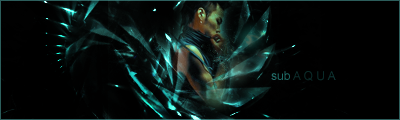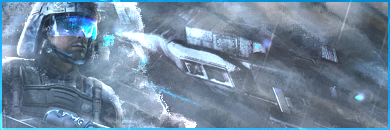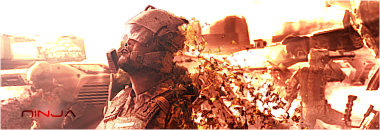
Yep. Thanks for the tutorialSteel wrote:looks nice =) you are getting better and better. And I see u used the Text tut I showed be4 =)
Signatures
Moderator: GFX Staff

- Numb
- Omicron Major

- Posts: 6290
- Joined: Sun Oct 19, 2008 8:32 pm
- LoL Name: Hveem
- Location: Norway
- Contact:
Re: Signatures


Re: Signatures
steel has a tut. for everything related to photoshop, lol at that one.nUmb wrote:Yep. Thanks for the tutorialSteel wrote:looks nice =) you are getting better and better. And I see u used the Text tut I showed be4 =)

@numb: tho the "N" of your name does good with a subtext make sure you dont use it too often and only if it fits.


- Numb
- Omicron Major

- Posts: 6290
- Joined: Sun Oct 19, 2008 8:32 pm
- LoL Name: Hveem
- Location: Norway
- Contact:
Re: Signatures
[/quote]@numb: tho the "N" of your name does good with a subtext make sure you dont use it too often and only if it fits.
[/quote]
Yea. My first try to make a good text though, I'm not going to use it the whole time


Re: Signatures
remember to work on the lighting. if the whole sig is in a soft blue even your render, (especially if it isnt in the center) you have to set a focus on your render. meaning lighting. lighten the render and make the rest a bit darker.
use burn tool, soft light layer style, use the lighting functions under >edit>adjust (especially the render should have more contrasts) and if you are used to it you could use the lighting function found at filters>renders (or something like that) to set the lighting points by your own. if youre good at it it will turn out much better, if not you could destroy it ;)you could play with the opacity and erease parts to optimize the outcome.
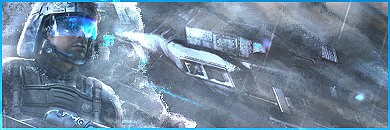
ps, try to mix v1 + v2
use burn tool, soft light layer style, use the lighting functions under >edit>adjust (especially the render should have more contrasts) and if you are used to it you could use the lighting function found at filters>renders (or something like that) to set the lighting points by your own. if youre good at it it will turn out much better, if not you could destroy it ;)you could play with the opacity and erease parts to optimize the outcome.
ps, try to mix v1 + v2


Re: Signatures
yeah, lol should be the right description for this one ;P
tho its fun, id set the bubble on nemos left side on top the render.


Re: Signatures
i like it 
you can´t ban me ":D"
first sotm winner who only has paint!
**United Federation of Awesomeness**
xoxo
first sotm winner who only has paint!
**United Federation of Awesomeness**
xoxo


Re: Signatures
maybe you can write tutorials?
i want to make sigs like you *.*
they are just awesome =)
Good old times...